


Keeping Sensitive Tech Free From Dust and Crumbs
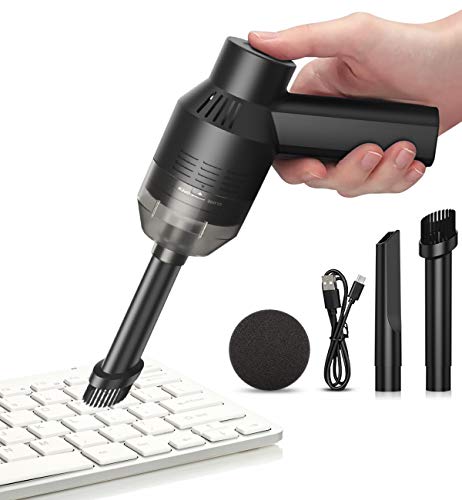
Fine dust settling inside mechanical keyboards, cooling fans, and sensitive computer towers can disrupt performance and trap unwanted heat. Standard full-sized uprights are far too cumbersome and generate static electricity that can harm delicate internal circuitry, which makes selecting the best electronics vacuum an essential step for tech care. Rather than relying on canned air that merely blows grit deeper into hardware, dedicated electric cleaners offer controlled suction and airflow to lift particulate matter. This guide examines listed motor ratings, static discharge protection, and attachment options to match the right tool to your workspace.
While routine floor maintenance often relies on a versatile cordless vacuum with 2 batteries for open rooms, micro-cleaning sensitive devices requires precision accessories. Available options range from USB-rechargeable mini vacuums designed for desk crumbs to heavy-duty corded blowers built for workshop maintenance. Considering critical factors like HEPA filtration, anti-static wrist straps, and multi-piece micro nozzle kits will ensure you capture fine debris without exposing valuable electronics to hazardous electrostatic discharge.




Frequently Asked Questions
What makes an electronics vacuum different from a household cleaner?
Specialized electronics cleaners provide compact suction and blow functions without the high electrostatic discharge risk of household vacuums. Standard floor units are too bulky for tight desktop crevices and generate friction that can harm circuit boards. Dedicated tech vacuums include micro-nozzles, soft brushes, and conductive materials to safely remove dust from keyboards and components.
Why is ESD safety important when vacuuming computer hardware?
Electrostatic discharge (ESD) can permanently damage microchips and motherboards through sudden electrical shocks. Vacuums featuring an ESD-safe design, such as grounded metal units with anti-static wrist straps, dissipate friction-induced charges safely. While exterior surfaces like keyboards tolerate standard mini vacuums, exposed computer internals require anti-static construction to prevent component failure.
Can a rechargeable electric vacuum replace canned air?
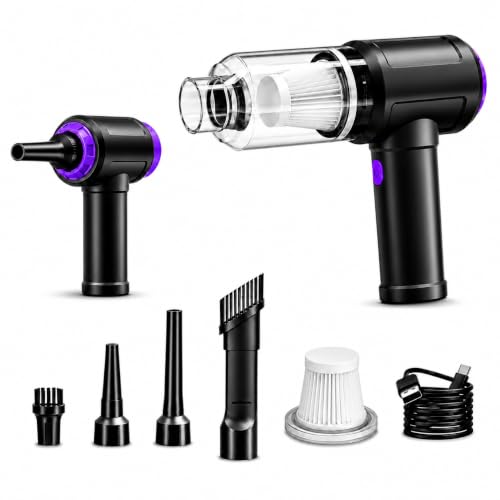
Electric air dusters and handheld vacuums offer a reusable alternative to disposable canned air. Many compact 3-in-1 devices combine high-RPM blowers with reverse suction, blowing debris out from beneath keycaps before capturing it. Unlike aerosol cans, electric tools maintain steady pressure without freezing up, forming condensation, or releasing chemical propellants onto sensitive electronics.
How long do cordless computer vacuums run on a charge?
Manufacturer runtimes for cordless mini vacuums generally range from 10 to 50 minutes depending on motor speed. Low or Eco settings provide roughly 30 to 40 minutes for dusting, while maximum suction modes deplete small batteries in 10 to 20 minutes. Most units recharge via universal USB-C ports in two to four hours.
How should you clean the filter in a mini electronics vacuum?
Most bagless desktop vacuums utilize washable filters that can be rinsed under cold tap water once debris is emptied. Filters must dry completely before reuse to prevent moisture from damaging the motor or delicate tech hardware. For larger home cleaning needs, comparing upright models like the Shark Navigator Lift Away Speed vacuum helps maintain general dust control.




Write Your Review
No reviews yet. Be the first to share your experience!