


Tackling Workspace Dust Around Sensitive Electronics
Dust buildup inside keyboard switches and computer towers can trap heat, clog cooling fans, and create an unsightly workspace. Standard household dusters often push fine grit deeper into crevices, while upright floor machines are far too bulky to lift onto a desk. Selecting the best computer vacuum for dusty office environments helps you clear stray crumbs and fine particulates from delicate circuitry safely. While you might rely on the best cordless stick vacuum with removable battery for surrounding carpets, dedicated mini cleaners offer the precision needed for tight electronic enclosures.
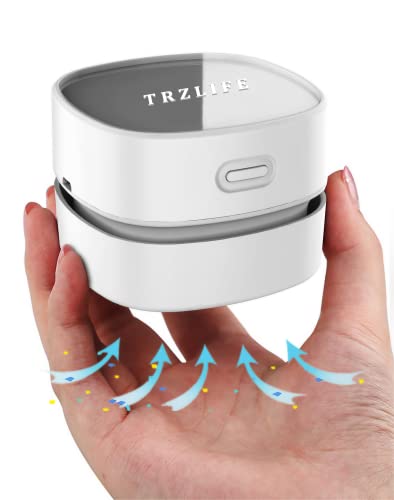
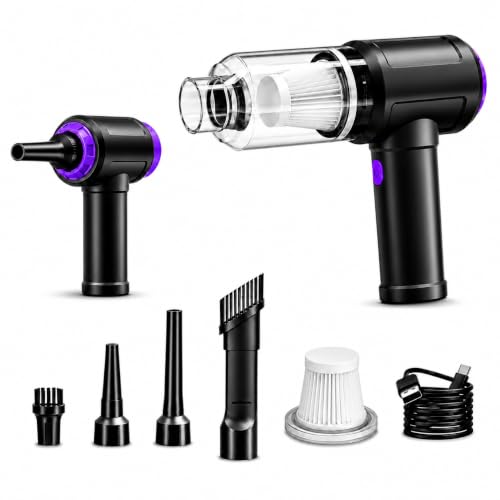
Miniature cleaners vary from simple desktop sweepers to multi-functional blowers with reverse suction channels. Dual-action tools allow you to dislodge packed lint from heat sinks before vacuuming up the remaining debris with a crevice attachment. This comparison evaluates supplied specifications, manufacturer claims, motor speeds, and filter designs to highlight practical tools for tidy workstations. Reviewing these factors helps you choose a cordless tool that balances battery runtime with steady suction for your office gear.



Frequently Asked Questions
Can a computer vacuum cleaner damage sensitive PC components?
Standard computer vacuums designed for electronics are safe when operated with non-conductive plastic nozzles and soft brush attachments. Specialized desktop models run at modest voltages and feature compact plastic attachments that minimize static risks compared to large utility vacs. Manufacturers provide soft bristle tools specifically to sweep dust off delicate fan blades and heatsinks without scratching surfaces. Always power down and unplug electronic equipment before cleaning.
What is the difference between an electric air duster and a computer vacuum?
An electric air duster blasts concentrated airflow to dislodge trapped particles, while a computer vacuum utilizes suction to collect debris into an internal filter bin. Many modern electronic cleaners combine both functions with separate ports for blowing and suction. Blowing easily clears stubborn dust from dense computer heat sinks, while suction stops dirt from scattering back across your desk. Pairing desktop cleaning with tools like best self emptying robot vacuums ensures dislodged floor dust gets collected promptly.
How often should you clean the filter in a mini keyboard vacuum?
Empty the dust cup after every major cleaning task and wash the filter whenever airflow noticeably decreases. Because miniature dust containers have very small capacities, accumulated fine office dust quickly restricts air passage. Most units utilize washable filters that can be rinsed under cold tap water. Ensure the filter is completely dry before reinstalling it in the machine.
How long does the battery last on a cordless computer vacuum?
Runtimes for cordless mini vacuums generally range from 15 to 30 minutes depending on the chosen speed mode. High-speed settings reaching over 100,000 RPM draw substantial battery power and exhaust charges much faster than low settings. While whole-home cleaning might demand the best cordless vacuum with 2 batteries for continuous cleaning, quick desk touch-ups require only brief bursts of run time between USB recharges.
Can a computer vacuum pick up liquid spills?
No, these compact electronic cleaners are engineered strictly for dry debris and should never be used on liquids. Drawing moisture into an electronic motor can ruin the internal circuitry and create an electrical hazard. Liquid spills near desk setups should be wiped immediately with absorbent microfiber towels after disconnecting power. Keep electronic cleaning equipment away from moist or wet surfaces.


Write Your Review
No reviews yet. Be the first to share your experience!